
LuckyOnes login: account access, recovery and help
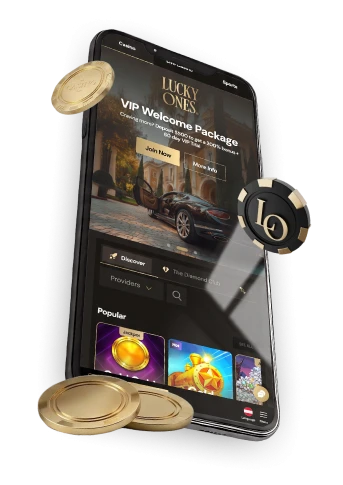
A LuckyOnes login involves more than entering account details: it spans signing in to an existing account, registering a new one, recovering a forgotten password and completing verification checks. This page sets out the supported sign-in and registration routes, a practical order for common mobile access problems, the password-reset path, and when a verification request can affect account access. Each task below is kept separate so you can find the step that matches your situation, whether you’re returning to an account or setting one up for the first time.
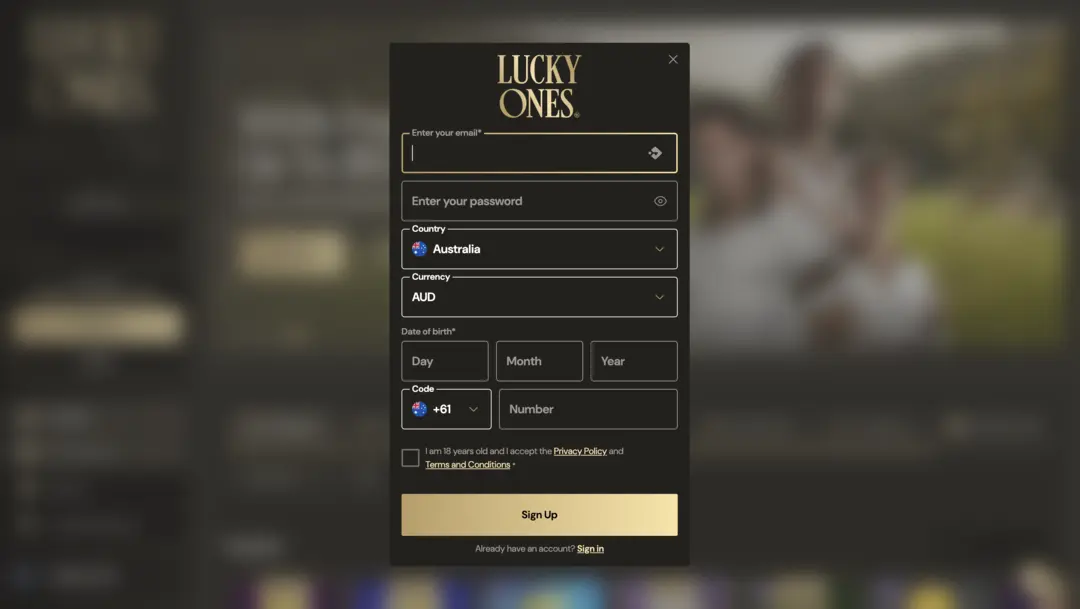
Lucky Ones account access and registration
Signing in to an existing Lucky Ones account is a separate task from creating a new one. To register, choose Sign Up on the main page, complete the form and select Create an account.
Account eligibility carries two conditions worth checking before you attempt a Lucky Ones casino login: you must be at least 18, subject to applicable laws and account eligibility rules, and each individual may normally hold only one account, unless Lucky Ones expressly instructs and confirms otherwise. These conditions apply to the account itself rather than to any single sign-in attempt, so they stay relevant whether you’re logging in for the first time or returning after a break.
If you’ve already registered at LuckyOnes casino online, use Log In rather than creating another account; the one-account rule still applies.
Common Lucky Ones login problems on mobile
For routine login problems on a phone or tablet, work through these checks before contacting support:
- Check that your account details are entered as saved; review spelling, keyboard settings and autofill on a phone.
- Refresh the page and check your internet connection before trying again.
- If the issue continues, try a private browser window or another browser to isolate stored browser data.
- If access works on another device or browser, focus troubleshooting on the original browser or device rather than repeatedly changing your account details.
After browser installation, an app icon is added to the device home screen for account sign-in, giving a route back to a Lucky Ones casino login in Australia without re-typing a web address each time.
That installed web experience supports account sign-in to the Lucky Ones online casino, alongside live-casino play, deposits and bonus access, so the checks above apply whether you’re opening the browser directly or tapping the home-screen icon.
Problems installing the browser-based LuckyOnes app are distinct from a forgotten password, which starts at Log In and then Forgot Password?.
Reset a forgotten Lucky Ones password
If you’ve forgotten your LuckyOnes password, choose Log In and then Forgot Password? to start the reset. This is the self-service route for account recovery, though the exact wording or position of the link on screen can change as the interface is updated.
For a LuckyOnes casino login reset, follow any instructions presented in the flow; if it cannot be completed or you cannot access the account email, contact customer care. Identity must be confirmed before customer care resets the password.
Verification checks and account access
Signing in successfully and completing account verification are two different checks. The Verification tab in My Account lists the documents needed to verify an account, and LuckyOnes casino account holders may be asked for these at any time for legal, regulatory, security or anti-fraud reasons, not only after a login problem.
Verification is required before the first cashout and can also be requested for routine account checks at other times. Full verification can call for proof of identity, address and payment-method ownership, with proof of payment usually tied to card deposits and additional items requested where needed.
If a requested verification isn’t completed, updated or uploaded, or is repeatedly refused, the account can be treated as unverifiable: this can lead to suspension, a voided bonus or winnings, and withheld payment. These potential consequences concern requests for verification, not the act of signing in.
When to contact Lucky Ones customer support
Self-service provides a password-reset route, but some situations need customer care directly: a reset that won’t complete, an account email you can no longer access, or questions about a verification request in My Account. Contact customer care through live chat or the support email listed on the Lucky Ones website; identity must be confirmed before any password reset goes ahead.
Customer support is available every day, 24/7. Before reaching out, note what you’ve tried and whether the problem concerns your LuckyOnes casino login in Australia or a verification request; you can give customer care those details when you make contact.
Lucky Ones login FAQs
How do I reset my Lucky Ones password?
Choose Log In, then Forgot Password? to start the reset. The screen wording may change over time.
What if I can’t access the email on my account?
Contact customer care through live chat or the support email listed on the Lucky Ones website. Identity must be confirmed before a password reset goes ahead when self-service isn’t possible.
Does signing in complete account verification?
No. Verification is a separate check: it’s required before your first cashout and can be requested again for routine account reviews. Full verification can call for proof of identity, address and payment-method ownership.